
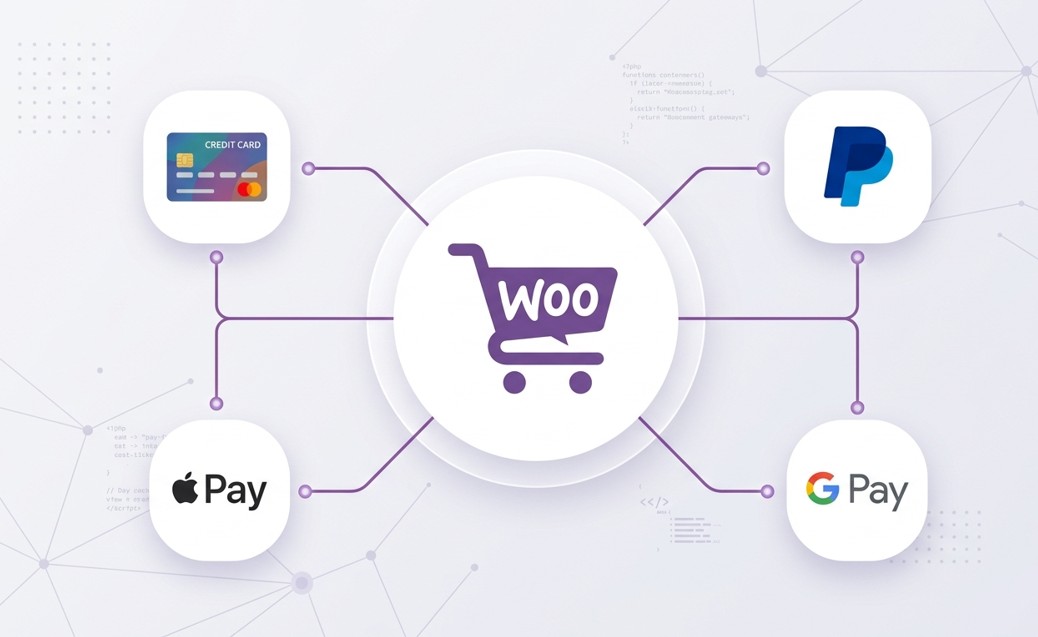
Choosing the wrong payment gateway can quietly kill your WooCommerce sales. Customers abandon carts the moment they see an unfamiliar or clunky checkout experience – and that’s money walking out the door.
In this guide, you’ll find the best WooCommerce payment gateways available right now, broken down by fees, ease of setup, and which type of store they suit best. Whether you’re launching your first online shop or looking to switch from your current provider, this comparison will help you make a confident decision.
Table of Contents
What Is a WooCommerce Payment Gateway?
A payment gateway is the technology that connects your WooCommerce store to a bank or payment processor. When a customer clicks “Place Order,” the gateway encrypts their card details, communicates with their bank, and either approves or declines the transaction – all within seconds.
Without a gateway, you simply cannot accept online payments.
WooCommerce supports dozens of gateways through official extensions and third-party plugins. Some are built in (like PayPal and bank transfers), while others need a free or paid plugin to activate.
Pro Tip: Before picking a gateway, confirm it supports your country and currency. Not every gateway works globally – Stripe, for example, is available in 46+ countries but is not yet available in all regions.
How to Choose the Right Payment Gateway for WooCommerce
Not all gateways are created equal. Here’s what to compare before you decide:
- Transaction fees – Most gateways charge 1.4% to 3% per transaction plus a small fixed fee
- Setup fees – Many popular options have zero setup cost
- Supported countries and currencies – Critical if you sell internationally
- Checkout experience – On-site vs. redirect (redirects can hurt conversions)
- Fraud protection – Look for 3D Secure and chargeback management
- Recurring payments – Essential if you sell subscriptions
- Support quality – 24/7 support matters when payments break
Keep these criteria in mind as you read through each option below.
Best WooCommerce Payment Gateways in 2026
1. Stripe – Best Overall for Most WooCommerce Stores
Transaction Fee: 2.9% + $0.30 per transaction (US)
Monthly Fee: None
Best For: Beginners and growing stores
Stripe is the most recommended payment gateway in the WooCommerce ecosystem – and for good reason. The official WooCommerce Stripe plugin is free, actively maintained, and handles everything from one-time payments to subscriptions and Apple Pay.
What makes Stripe stand out is the on-site checkout experience. Customers never leave your store to complete a payment. That alone can significantly reduce cart abandonment.
What Stripe does well:
- Accepts credit cards, debit cards, Apple Pay, Google Pay
- Supports 135+ currencies
- Built-in 3D Secure fraud protection
- Developer-friendly with powerful API access
- Excellent documentation and support
Honest limitation: Stripe is not available in every country. If you’re based outside supported regions, check their availability page first.
Pro Tip: Enable Stripe’s “Payment Request Button” in the plugin settings. This activates Apple Pay and Google Pay automatically, which can boost mobile conversions noticeably.
2. PayPal – Best for Instant Trust and Global Reach
Transaction Fee: 3.49% + fixed fee (varies by country)
Monthly Fee: None
Best For: Stores targeting international buyers or older demographics
PayPal remains one of the most trusted names in online payments, with over 400 million active users worldwide. Adding a PayPal WordPress plugin to your WooCommerce store gives customers a familiar, confidence-inspiring checkout option.
WooCommerce includes PayPal Standard by default, but the newer PayPal Payments plugin (officially supported by PayPal and WooCommerce) is the better choice. It supports Pay Later options, card fields directly on your site, and Venmo for US customers.
What PayPal does well:
- Trusted brand customers recognize immediately
- Covers 200+ countries and 100+ currencies
- Pay Later / Buy Now Pay Later option built in
- Seller protection on eligible transactions
Honest limitation: PayPal’s fees are slightly higher than Stripe, and its older redirect checkout can feel outdated. If customer experience is your top priority, use PayPal alongside Stripe rather than instead of it.
3. Square – Best for Stores That Sell Online AND In-Person
Transaction Fee: 2.6% + $0.10 (in-person), 2.9% + $0.30 (online)
Monthly Fee: None for basic plan
Best For: Retailers with both physical and online stores
Square shines when you run a brick-and-mortar shop alongside your WooCommerce store. Its biggest advantage is inventory sync – when you sell something in your physical store, it updates your online stock automatically.
The WooCommerce Square plugin handles payments, syncs products and inventory, and supports both manual card entry and saved cards for returning customers.
What Square does well:
- Seamless inventory sync between online and in-store
- Free POS app included
- Clean, simple dashboard
- No monthly fees on the base plan
Honest limitation: Square is only available in a limited number of countries (US, UK, Canada, Australia, Japan, Ireland, France, Spain). If you’re outside those regions, look at the alternatives below.
4. Authorize.net – Best for Established Businesses Needing Advanced Control
Transaction Fee: 2.9% + $0.30 per transaction
Monthly Fee: $25/month
Best For: Medium to large stores needing advanced fraud tools
Authorize.net has been around since 1996 and is one of the most trusted names in payment processing. It’s not the cheapest option, but it offers enterprise-grade fraud detection, detailed reporting, and robust recurring billing.
If you’re running a high-volume WooCommerce store and need serious fraud protection with PCI compliance features, Authorize.net is worth the monthly fee.
What Authorize.net does well:
- Advanced fraud detection suite
- Supports eCheck (ACH) payments
- Recurring and subscription billing
- Detailed transaction reporting
- 24/7 phone support
Honest limitation: The $25 monthly fee makes it impractical for brand-new or low-revenue stores. Start here only once you’re generating consistent sales.
5. Mollie – Best Stripe Alternative for European Stores
Transaction Fee: Varies by payment method (from 0.25€ per transaction)
Monthly Fee: None
Best For: European WooCommerce store owners
Mollie is one of the most popular Stripe alternatives for sellers based in Europe. It supports payment methods that matter most to European buyers – iDEAL (Netherlands), SEPA Direct Debit, Bancontact (Belgium), Klarna, and more.
The free WooCommerce Mollie plugin is well-maintained, easy to configure, and handles multi-currency automatically.
What Mollie does well:
- Supports local European payment methods
- Transparent per-transaction pricing (no monthly fees)
- Multi-language checkout
- Strong recurring payments support
- Excellent uptime and reliability
Honest limitation: Mollie is primarily designed for European businesses. If most of your customers are outside Europe, Stripe or PayPal will serve you better.
6. Razorpay – Best for Indian WooCommerce Stores
Transaction Fee: 2% per transaction (domestic cards)
Monthly Fee: None
Best For: Store owners targeting Indian customers
Razorpay is the go-to payment gateway for WooCommerce stores serving the Indian market. It supports UPI, Net Banking, credit/debit cards, wallets like Paytm, and EMI options – all the payment methods Indian customers expect.
The WooCommerce plugin is free, setup takes under 30 minutes, and the dashboard is genuinely easy to understand even for first-time store owners.
What Razorpay does well:
- Full support for Indian payment ecosystem (UPI, Net Banking, Wallets)
- Instant refund processing
- Smart routing to increase payment success rates
- Free plugin with no setup cost
- Subscription and recurring billing support
Honest limitation: Razorpay is built for Indian businesses. International sellers will not find it useful.
7. WooCommerce Payments (Now WooPayments) – Best for Simplicity
Transaction Fee: 2.9% + $0.30 (US), varies by country
Monthly Fee: None
Best For: Beginners who want everything managed in one place
WooPayments is built by the WooCommerce team and runs on Stripe’s infrastructure. The main selling point is integration – you manage everything (payments, disputes, refunds) directly inside your WordPress dashboard without switching between apps.
For beginners who feel overwhelmed by multiple tools, WooPayments is a solid starting point.
What WooPayments does well:
- Fully integrated into WooCommerce dashboard
- Multi-currency support built in
- Handles disputes and chargebacks inside WordPress
- Supports subscriptions and recurring billing
- No separate Stripe account needed
Honest limitation: Because it runs on Stripe’s infrastructure, fees are comparable. Advanced users may prefer going directly with Stripe for more control and lower fees on high volume.
WooCommerce Payment Gateway Comparison Table
| Gateway | Monthly Fee | Transaction Fee | Best For |
|---|---|---|---|
| Stripe | None | 2.9% + $0.30 | Most stores |
| PayPal | None | 3.49% + fixed | Global reach |
| Square | None | 2.9% + $0.30 | Omnichannel retail |
| Authorize.net | $25 | 2.9% + $0.30 | High-volume stores |
| Mollie | None | From 0.25€ | Europe |
| Razorpay | None | 2% | India |
| WooPayments | None | 2.9% + $0.30 | Beginners |
How to Add a Payment Gateway to WooCommerce
Adding a gateway takes less than 10 minutes. Here’s how it works using Stripe as an example:
- Go to Plugins > Add New in your WordPress dashboard
- Search for “WooCommerce Stripe Payment Gateway”
- Click Install Now, then Activate
- Go to WooCommerce > Settings > Payments
- Find Stripe in the list and click Manage
- Enter your Stripe API keys (get these from your Stripe dashboard under Developers > API Keys)
- Toggle Test Mode on to verify everything works before going live
- Click Save Changes and run a test transaction
Pro Tip: Always test your checkout with a real card (or Stripe’s test card numbers) before launching. A broken checkout during launch can set back early sales significantly.
If your store is still in the setup phase, make sure your hosting is fast enough to handle checkout pages without delays. Slow servers cause customers to lose trust during payment. Hostinger is a reliable and affordable option that works well with WooCommerce stores.
Common Mistakes to Avoid with WooCommerce Payment Gateways
These are the mistakes that cost store owners sales – often without them realizing it:
1. Using only one payment method
Offering only one gateway limits who can buy from you. Add at least two options (e.g., Stripe + PayPal) to cover customers who prefer different methods.
2. Skipping test mode before going live
Always test the full checkout flow – add to cart, enter card details, complete order, and check if confirmation emails trigger correctly.
3. Ignoring transaction fees on thin-margin products
If you sell a $10 product with a 2.9% + $0.30 fee, that’s $0.59 per sale in gateway fees. Factor this into your pricing before publishing products.
4. Not enabling SSL
Payment gateways require HTTPS. If your site shows a “Not Secure” warning, many gateways will not load and customers will abandon immediately. Check our guide on common WordPress errors if you run into setup issues.
5. Choosing a gateway that doesn’t support your country
Verify availability before investing time in setup. A gateway that works in the US may not support your local currency or bank payouts.
Which WooCommerce Payment Gateway Should You Choose?
Here’s a quick summary to help you decide:
- Just starting out? – Use WooPayments or Stripe. Both are easy to set up and reliable.
- Targeting international buyers? – Add PayPal alongside Stripe for maximum reach.
- Running a physical + online store? – Square is the obvious choice for inventory sync.
- Based in Europe? – Mollie covers the local payment methods your customers expect.
- Selling in India? – Razorpay is purpose-built for your market.
- High-volume, established store? – Authorize.net gives you the advanced tools and support you need.
For most beginners, starting with Stripe and adding PayPal as a secondary option covers the vast majority of customers and use cases.
You can also explore more tools in our guide to the best WooCommerce plugins to extend your store’s functionality beyond just payments.
If your store is running slowly at checkout, that’s a separate issue worth fixing – see our guide on how to speed up your WooCommerce store for practical steps.
Frequently Asked Questions
What is the best payment gateway for WooCommerce beginners?
Stripe is the best starting point for most beginners. It has no monthly fees, a free official plugin, supports 135+ currencies, and the checkout experience is smooth and on-page. WooPayments is also a strong beginner option if you prefer managing everything inside your WordPress dashboard.
Can I use multiple payment gateways in WooCommerce at the same time?
Yes. WooCommerce allows you to enable multiple payment gateways simultaneously. Customers will see all active options at checkout and choose their preferred method. Most stores offer at least two – typically Stripe and PayPal.
Are WooCommerce payment gateways free?
Most payment gateway plugins are free to install. The cost comes from per-transaction fees charged by the gateway provider, not the plugin itself. Authorize.net is an exception, adding a $25/month account fee on top of transaction fees.
What are the best Stripe alternatives for WooCommerce?
The best Stripe alternatives depend on your region. Mollie is the top choice for European stores, Razorpay for Indian stores, and Square for businesses that also sell in person. PayPal is a strong global alternative that works alongside or instead of Stripe.
Does WooCommerce have a built-in payment gateway?
WooCommerce includes a few basic options by default – bank transfer, cash on delivery, and check payments. For real card processing, you need to install a gateway plugin like Stripe, PayPal Payments, or WooPayments.
Which WooCommerce payment gateway has the lowest fees?
For most stores, Mollie (in Europe) offers some of the lowest per-transaction costs. Globally, Stripe and WooPayments are competitive at 2.9% + $0.30. Razorpay is the lowest at 2% for stores targeting Indian customers. Always compare fees based on your specific country and transaction volume.
Conclusion
Picking the right WooCommerce payment gateway is one of the most important decisions you’ll make when setting up your store. It directly affects whether customers trust your checkout, how much you pay per sale, and how smoothly your store operates day-to-day.
To recap:
- Stripe is the best all-around choice for most stores
- PayPal adds global trust and reach
- Mollie, Razorpay, and Square serve specific regions and use cases
- Authorize.net scales well for high-volume businesses
- WooPayments is ideal if you want everything inside WordPress
Start with Stripe, add PayPal as a backup, and revisit your setup once you understand your customers’ preferences.
If you found this guide useful, leave a comment below with which gateway you chose – or share any experiences (good or bad) with a specific provider. It helps other readers make smarter decisions.
Related Reading: