
Your WordPress theme is not just a design choice – it is a performance decision. A bloated theme can silently kill your Google rankings, spike your bounce rate, and frustrate visitors before they even read a single word.
If you are serious about building a fast website, choosing the right lightweight WordPress themes is one of the best moves you can make. In this guide, you will find the top speed-optimized themes tested and reviewed for 2026 – whether you are launching your first blog or looking for solid Astra alternatives that do not slow you down.
Let’s get into it.
Table of Contents
Why Your WordPress Theme Affects Site Speed
Most beginners focus on plugins, hosting, and caching when they think about speed. But the theme you install is loaded on every single page of your site – before anything else.
A heavy theme can add:
- Dozens of unused CSS and JavaScript files
- Unoptimized Google Fonts loading
- Render-blocking scripts that delay page paint
- Excessive database queries on every page load
In contrast, the fastest WordPress themes ship with minimal code, clean HTML structure, and zero unnecessary bloat. Google’s Core Web Vitals – especially Largest Contentful Paint (LCP) and Cumulative Layout Shift (CLS) – are directly affected by your theme’s code quality.
Pro Tip: Before installing any theme, check its page size using a tool like GTmetrix or WebPageTest. A well-optimized theme’s demo page should load in under 1 second on a good host.
For context on how speed connects to your overall site health, read our guide on how to speed up your WordPress website.
What Makes a WordPress Theme “Lightweight”?
Not every theme that claims to be “fast” actually is. Here is what to look for when evaluating speed optimized themes:
- Minimal HTTP requests – fewer scripts and stylesheets loaded per page
- No pagebuilder dependency – themes that do not require Elementor or Divi to function
- Clean, valid HTML/CSS – no legacy or redundant code
- Small base file size – ideally under 500KB for the theme folder
- Google Fonts optimization – option to disable or preload fonts
- Schema markup support – built-in structured data for SEO
- Full Gutenberg compatibility – works natively with the WordPress block editor
If a theme checks all of these boxes, it is a strong candidate for a high-performance site.
The 7 Best Lightweight WordPress Themes for Speed in 2026
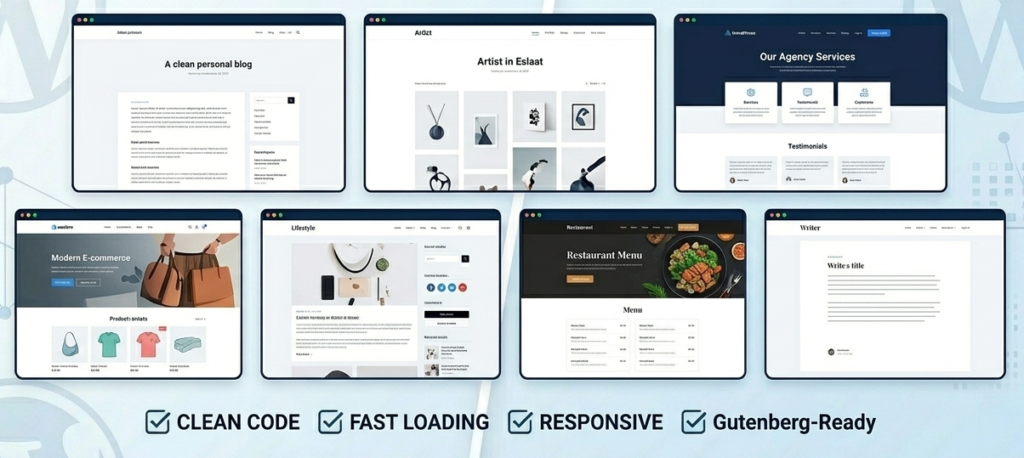
1. Astra – The Most Popular Lightweight Theme
Best for: Bloggers, small businesses, WooCommerce stores
Astra has been downloaded over 2 million times, and for good reason. It loads in under 0.5 seconds on a basic setup and has a base size of less than 50KB. That is smaller than most images on a typical website.
Key features:
- Starter templates for quick setup
- Deep WooCommerce integration
- Compatible with Elementor, Beaver Builder, and Gutenberg
- Header and footer builder in the free version
Pricing: Free | Pro starts at $47/year
One thing to watch: The free version is genuinely useful, but features like custom layouts and WooCommerce cart abandonment require the Pro upgrade.
2. GeneratePress – Best for Developers and Performance Purists
Best for: Developers, bloggers, affiliate sites
GeneratePress is what many seasoned WordPress developers quietly use on their own sites. It generates less than 10KB of CSS by default – a number that speaks for itself.
Key features:
- Modular structure (enable only what you need)
- No jQuery dependency in the free version
- Site Library with pre-built demos
- Full control over typography, spacing, and layout
Pricing: Free | Premium at $59/year
GeneratePress does not try to do everything out of the box. That minimalism is exactly the point. When paired with a good caching plugin, it produces some of the best Core Web Vitals scores you will find.
Pro Tip: Use GeneratePress with the free Spectra or Kadence Blocks plugin to build layouts without touching code.
3. Kadence – Best Free Theme for Beginners
Best for: Beginners, bloggers, portfolio sites
Kadence is one of the fastest-growing lightweight themes in the WordPress ecosystem. It has a clean UI, a solid free version, and a companion plugin (Kadence Blocks) that extends the Gutenberg editor without the performance cost of a full page builder.
Key features:
- Header builder with mobile-first design
- One-click starter templates
- Built-in preloader and scroll-to-top options
- WooCommerce ready
Pricing: Free | Pro at $79/year
Kadence is particularly well suited for beginners because the free version is not crippled. You can build a professional site without spending a single dollar.
4. OceanWP – Best for WooCommerce Sites
Best for: eCommerce stores, multi-purpose sites
OceanWP sits in an interesting spot. It offers more built-in features than GeneratePress or Kadence by default, but it is still significantly lighter than themes like Divi or Avada.
Key features:
- WooCommerce mini cart, quick view, and floating bar
- Works with all major page builders
- 200+ demo sites
- Translation-ready
Pricing: Free | Core extensions bundle at $43/year
Keep in mind that OceanWP’s performance advantage starts to shrink when you add too many of its extensions. Be selective about what you activate.
5. Blocksy – Best Block-Based Lightweight Theme
Best for: Bloggers, news sites, personal brands
Blocksy is built specifically for the Gutenberg block editor and takes full advantage of WordPress’s Full Site Editing (FSE) capabilities. It is one of the most modern speed optimized themes available today.
Key features:
- Dynamic CSS (only loads what each page needs)
- Content blocks for headers, footers, and sidebars
- Dark mode support out of the box
- Performance Score of 98+ on PageSpeed Insights (on their demo)
Pricing: Free | Pro at $49/year
If you are building a site in 2026 and want to stay future-proof with the block editor, Blocksy is a strong pick.
6. Hello Elementor – Best Theme for Elementor Users
Best for: Elementor users, agencies, freelancers
If you are using Elementor as your page builder, Hello Elementor is the official pairing theme made by the Elementor team. It is essentially a blank slate – almost no styles, no scripts, no overhead.
Key features:
- Near-zero CSS footprint
- Made to work seamlessly with Elementor and Elementor Pro
- Lightweight and dependency-free
- Updated regularly alongside Elementor
Pricing: 100% Free
The only downside is that it is not very useful without Elementor. But if you are already committed to that page builder, Hello Elementor is the obvious choice. Compared to running a heavy multi-purpose theme on top of Elementor, this combination is far more performant.
You can learn more about the Elementor vs Gutenberg debate in our comparison guide: Elementor vs Gutenberg – Which Should You Use?
7. Neve – Best for Multiple Niches
Best for: Freelancers, local businesses, multi-purpose use
Neve is a versatile lightweight WordPress theme that manages to stay fast even while offering a wide range of customization options. It scores well on both mobile and desktop in Google PageSpeed Insights.
Key features:
- AMP-ready out of the box
- Custom layouts for blog, shop, and single posts
- Works with any page builder
- 100+ starter sites
Pricing: Free | Pro at $69/year
Neve is a solid option if you need flexibility without sacrificing speed. It is particularly good for local business or agency sites where you need multiple page layouts without hiring a developer.
Quick Comparison Table
| Theme | Free Version | Base Size | Best For | Gutenberg Ready |
|---|---|---|---|---|
| Astra | Yes | ~50KB | Bloggers, Shops | Yes |
| GeneratePress | Yes | ~10KB CSS | Developers | Yes |
| Kadence | Yes | ~30KB | Beginners | Yes |
| OceanWP | Yes | ~60KB | WooCommerce | Yes |
| Blocksy | Yes | ~40KB | Block editor fans | Yes |
| Hello Elementor | Yes | ~5KB | Elementor users | Limited |
| Neve | Yes | ~45KB | Multi-purpose | Yes |
How to Choose the Right Lightweight Theme for Your Site
Choosing a theme is not just about the numbers. Here is a practical way to narrow it down:
Step 1 – Define your site type Are you building a blog, an eCommerce store, a portfolio, or a business landing page? Some themes are optimized for specific use cases.
Step 2 – Check your page builder preference If you love Elementor, go with Hello Elementor or Astra. If you prefer Gutenberg, Blocksy or Kadence are the better picks.
Step 3 – Test the demo on PageSpeed Insights Go to PageSpeed Insights and paste in the theme’s live demo URL. A score below 80 on mobile is a warning sign.
Step 4 – Install and test on a staging site first Never install a new theme directly on a live site. Use a staging environment or a local setup to test before going live.
Step 5 – Check theme update history A theme that has not been updated in over a year is a risk – both for security and compatibility with new WordPress versions. Check the WordPress.org changelog.
For a broader look at themes, also check our roundup of the best free WordPress themes.
Common Mistakes to Avoid When Using Lightweight Themes
Even with a fast theme, you can still end up with a slow website if you make these mistakes:
- Installing too many plugins – Each plugin adds requests. Only keep what you actually use. See our list of essential WordPress plugins every new website needs.
- Uploading unoptimized images – A 4MB hero image will destroy your speed no matter what theme you use.
- Not using a caching plugin – Even lightweight themes benefit from caching. Read our best caching plugins for WordPress guide.
- Choosing cheap shared hosting – A great theme on bad hosting still loads slowly. Hosting is the foundation of site speed.
- Overloading the customizer – Adding custom fonts, animations, and Google Fonts from multiple sources adds load time.
Hosting and Theme – The Combination That Actually Matters
Here is something most theme review articles skip entirely: your theme’s performance is only as good as your hosting allows.
You can install GeneratePress (under 10KB of CSS) on a slow shared server and still get a 55/100 on PageSpeed. Meanwhile, the same theme on a LiteSpeed-powered server with HTTP/3 and a CDN can hit 98/100 without any extra configuration.
The fastest WordPress themes are designed to remove friction on the theme’s end. But if the server response time (TTFB – Time to First Byte) is poor, nothing on the frontend will save you.
If you are currently experiencing a slow WordPress admin or dashboard, that is often a hosting issue too. Check out our guide on fixing a slow WordPress admin for a step-by-step solution.
Ready to pair your lightweight theme with fast hosting? Hostinger offers NVMe SSD storage, free SSL, and a free domain on most plans. It is one of the most affordable options for getting real speed. Start with Hostinger today
Frequently Ask Questions (FAQ)
What is the most lightweight WordPress theme available?
GeneratePress is widely regarded as the most lightweight WordPress theme, with a CSS base of under 10KB and minimal JavaScript dependency. It is a top choice for developers and performance-focused site owners.
Is Astra really faster than other WordPress themes?
Astra is faster than most themes, especially bloated multipurpose ones. It loads under 50KB out of the box and scores consistently high on PageSpeed Insights. However, GeneratePress and Blocksy can match or beat it under certain conditions.
Can I use a lightweight theme with Elementor?
Yes. Hello Elementor is the official theme built for Elementor and adds virtually zero overhead. Astra and GeneratePress also integrate well with Elementor without sacrificing much performance.
Do lightweight WordPress themes limit design flexibility?
Not at all. Themes like Astra, Kadence, and Neve come with starter templates and customizer options that give you full design control. The key is that they only load the styles and scripts you actually use, unlike bloated themes that load everything regardless.
How does my hosting affect theme performance?
Hosting plays a massive role. A lightweight theme on slow shared hosting will still underperform. For best results, pair a speed optimized theme with a host that uses LiteSpeed servers, NVMe SSDs, and a built-in CDN – like Hostinger’s Business or Cloud plans.
Are free lightweight WordPress themes good enough for a professional site?
Absolutely. The free versions of Astra, Kadence, GeneratePress, and Blocksy are all capable of powering professional, high-performing websites. Many successful affiliate sites and businesses run on the free tiers of these themes.
Conclusion
Choosing the right lightweight WordPress theme is one of the highest-impact decisions you will make when building your site. It affects your Google rankings, your visitor experience, and your conversion rate – all before you write a single line of content.
Here is a quick recap:
- GeneratePress – Best for raw performance and developer control
- Astra – Best all-rounder with the largest ecosystem
- Kadence – Best free option for beginners
- Blocksy – Best for the Gutenberg/FSE crowd
- Hello Elementor – Best if you are using Elementor
- OceanWP – Best for WooCommerce-focused sites
- Neve – Best for multi-niche flexibility
Start by testing 2 or 3 of these on a staging site, run them through PageSpeed Insights, and pick the one that fits your workflow. Do not overthink it – any theme on this list will outperform 90% of the themes available on ThemeForest or similar marketplaces.
If you want to go further with your site’s performance, read our full guide on how to speed up your WordPress website for a complete optimization checklist.
Have a question about a specific theme? Drop it in the comments below – we read every one.