
Getting traffic from Google is not luck – it’s strategy. If you’ve been publishing content on WordPress but seeing little to no organic traffic, the problem is almost always the same: your SEO foundation is weak. The good news? Fixing it doesn’t require you to be a developer or an expert.
In this guide, you’ll find the most practical WordPress SEO tips that actually work in 2026. From setting up your SEO plugin correctly to optimizing your content for search intent, we’ll walk through every key area step by step.
Table of Contents
Why WordPress SEO Still Matters in 2026
Google processes billions of searches every day. Without SEO, your content is invisible to those searchers – no matter how well-written it is.
WordPress powers over 40% of all websites on the internet, which means the competition is real. But it also means WordPress has a massive ecosystem of tools and plugins specifically designed to help you improve SEO without touching a single line of code.
The tips in this guide apply whether you’re running a blog, a business site, or an online store.
1. Start With a Solid Hosting Foundation
Most people overlook this, but your hosting directly affects your SEO. Google uses page speed as a ranking signal, and slow hosting means slow pages – period.
When I moved a client’s site from a cheap shared host to a proper SSD-based host, their Core Web Vitals scores jumped from “Poor” to “Good” within two weeks. Their rankings followed shortly after.
Look for hosting that offers:
- LiteSpeed or Nginx servers
- Built-in caching
- Free SSL
- Servers close to your target audience
Try Hostinger
2. Install and Configure an SEO Plugin
WordPress doesn’t have built-in SEO tools, so your first step should be installing a dedicated SEO plugin. The two most popular options are Rank Math and Yoast SEO.
Personally, I lean toward Rank Math for new sites in 2026. It gives you more features for free, has cleaner UI, and the setup wizard is beginner-friendly.
Related: Rank Math vs Yoast SEO – Which Plugin Should You Use?
RankMath Tips for Initial Setup
Once installed, run through the Rank Math setup wizard and make sure you:
- Connect it to Google Search Console
- Enable the correct schema type for your site (Blog, LocalBusiness, etc.)
- Turn on breadcrumbs
- Set your homepage title and meta description
- Enable XML sitemap (and submit it to Google Search Console)
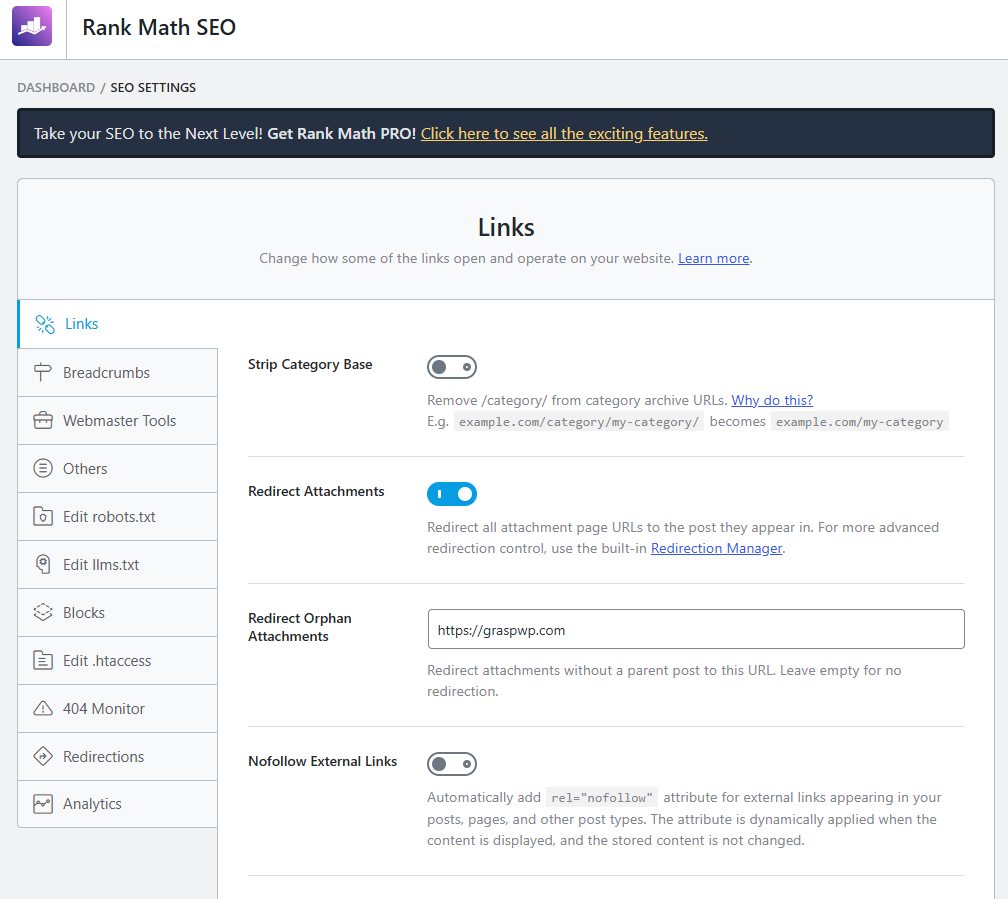
These five steps alone put you ahead of sites that installed an SEO plugin and never configured it.
3. Do Keyword Research Before Writing Anything
This is where most beginners go wrong. They write about topics they find interesting without checking if anyone actually searches for them.
Keyword research doesn’t have to be complicated. Start with free tools:
- Google Search (autocomplete) – Type your topic and see what Google suggests
- Google’s “People Also Ask” – Great for finding question-based keywords
- Ubersuggest or Ahrefs Free Tools – For search volume and difficulty data
When choosing keywords, focus on:
- Search volume – Is anyone actually searching for this?
- Keyword difficulty – Can you realistically rank for this?
- Search intent – What is the user actually looking for?
For a new WordPress site, target long-tail keywords with lower difficulty. For example, instead of targeting “WordPress themes” (extremely competitive), target “best lightweight WordPress themes for blogs” (much more achievable).
4. Master On-Page SEO in WordPress
On-page SEO WordPress involves optimizing every element of your individual posts and pages. This is where you have the most direct control over your rankings.
Optimize Your Title Tags
Your title tag is the blue link people see in Google. It should:
- Include your focus keyword (ideally near the beginning)
- Be under 60 characters
- Be compelling enough to earn the click
Weak title: WordPress SEO Guide 2026 Stronger title: WordPress SEO Tips That Actually Get You Ranked in 2026
Write a Compelling Meta Description
Your meta description doesn’t directly affect rankings, but it does affect click-through rate – and CTR does affect rankings indirectly.
Keep it between 150-160 characters. Include your keyword naturally and give the reader a reason to click.
Use a Clean URL Structure
A good URL is short, readable, and includes the keyword. Avoid default WordPress URLs like ?p=123.
Go to Settings > Permalinks in your WordPress dashboard and choose “Post name.” That’s it.
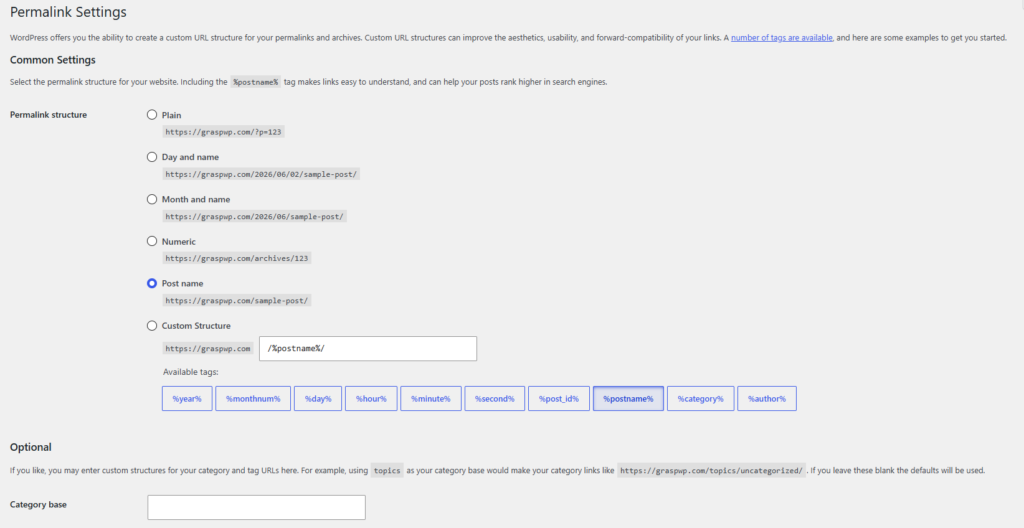
Your URLs should look like this: yoursite.com/wordpress-seo-tips – not yoursite.com/?p=456
Use Headings Correctly (H1, H2, H3)
Every post should have exactly one H1 (your post title in WordPress). Use H2s for main sections and H3s for subsections.
This helps both Google and your readers understand the structure of your content.
Optimize Your Images
Every image you upload should have:
- A descriptive file name (not
IMG_001.jpg) - An alt text that describes the image and, where natural, includes a keyword
Unoptimized images also slow your site down. See our guide on how to optimize images in WordPress for step-by-step instructions.
5. Focus on Content Quality and Search Intent
Google’s algorithm has become very good at understanding whether your content actually helps the reader. Keyword stuffing and thin content don’t work anymore – and in many cases, they’ll actively hurt you.
Match Search Intent
Before writing, ask yourself: what is the user actually trying to accomplish when they search this keyword?
There are four types of search intent:
- Informational – They want to learn something (“how to install WordPress”)
- Navigational – They’re looking for a specific site (“WordPress login page”)
- Commercial – They’re researching before buying (“best WordPress hosting”)
- Transactional – They’re ready to buy (“buy WordPress theme”)
Your content format and tone should match the intent. An informational keyword calls for a detailed guide. A commercial keyword might call for a comparison article.
Write for Humans First, Google Second
Structure your content so it’s easy to read:
- Short paragraphs (2-4 lines)
- Clear subheadings
- Bullet points for lists
- Bold text for key takeaways
If your content is helpful, well-structured, and answers the question better than competing pages, you’re already ahead.
6. Improve Your Site Speed
Site speed is a confirmed Google ranking factor. A slow site also increases your bounce rate, which signals to Google that users aren’t satisfied with your content.
Here are the fastest wins for speed:
- Use a caching plugin – Caching stores a static version of your pages so they load faster. We’ve compared the best options in our best caching plugins for WordPress guide.
- Optimize images – Compress and resize images before uploading. Use WebP format where possible.
- Use a lightweight theme – Heavy page builders can bloat your site. Check our list of best lightweight WordPress themes.
- Minimize plugins – Every plugin adds overhead. Only keep what you actually use.
- Use a CDN – A Content Delivery Network serves your site from servers closest to the visitor.
Pro Tip: Test your site speed using Google PageSpeed Insights and GTmetrix. Both are free and give you specific recommendations.
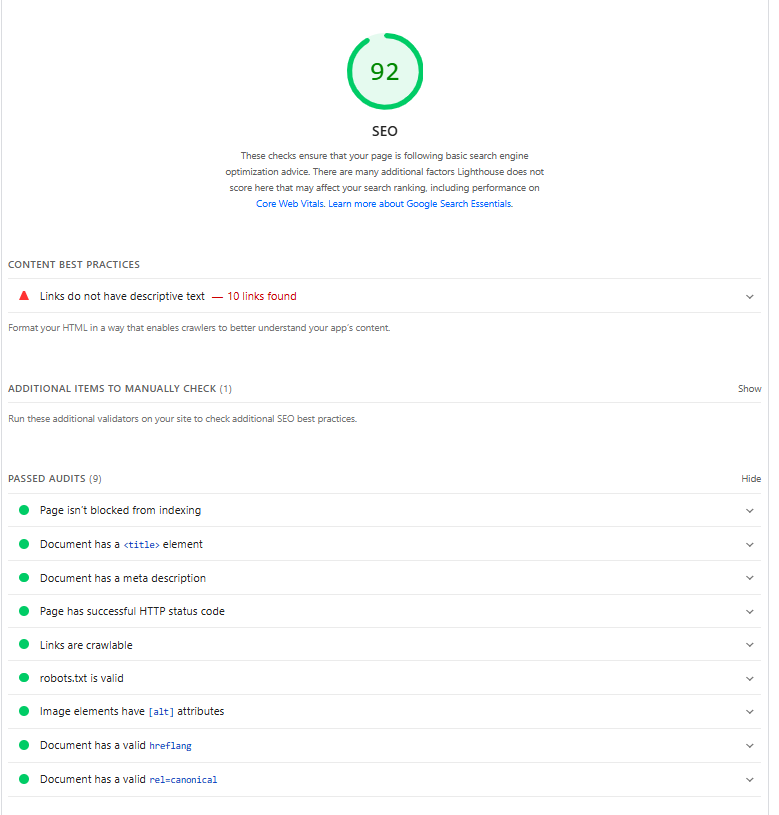
For a deeper dive, read our full guide on how to speed up your WordPress website.
7. Build a Smart Internal Linking Structure
Internal links connect your content together and help Google understand which pages on your site are most important. They also keep readers on your site longer.
A good internal linking strategy:
- Links from high-traffic posts to newer posts that need a boost
- Uses descriptive anchor text (not “click here”)
- Is natural and adds value to the reader
For example, if you have a post about WordPress plugins and another about WordPress security, linking between them makes sense contextually.
Related: Essential WordPress Plugins Every New Website Needs
Aim to add at least 2-3 internal links per post. Over time, this builds what’s called a “content cluster” – a web of related content that signals topical authority to Google.
8. Make Sure Your Site Is Mobile-Friendly
Google uses mobile-first indexing, which means it primarily crawls and ranks the mobile version of your site. If your site looks broken or loads slowly on mobile, your rankings will suffer.
Check your site on multiple devices. Use Google’s free Mobile-Friendly Test tool (search for it directly in Google).
Most modern WordPress themes are responsive by default, but you should still test. If you’re using an older theme or a page builder, double-check how your pages render on smaller screens.
9. Set Up Google Search Console
This is completely free and absolutely essential. Google Search Console tells you:
- Which keywords your site is ranking for
- Which pages get the most impressions and clicks
- Any crawl errors or indexing issues
- Manual actions (if Google has penalized your site)
Once you’ve installed Rank Math, submitting your sitemap to Search Console takes about two minutes. Go to Search Console > Sitemaps and paste your sitemap URL (usually yoursite.com/sitemap_index.xml).
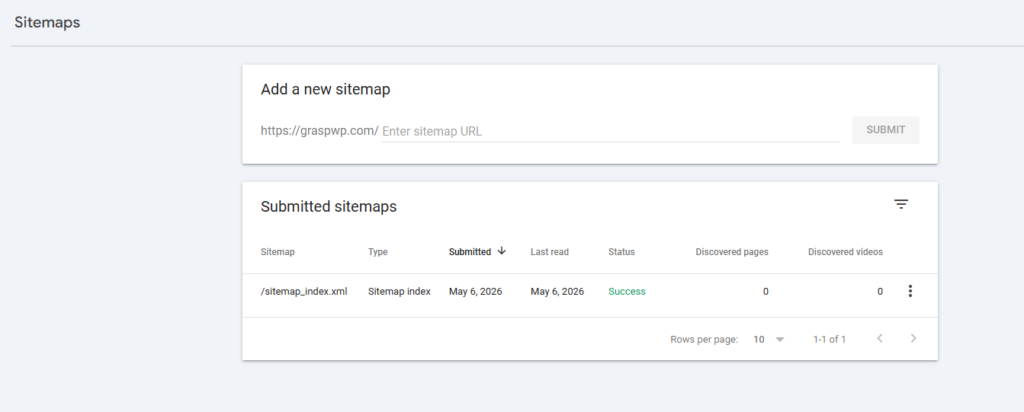
Check Search Console at least once a week when you’re growing a new site.
10. Keep Your Site Secure
This one sounds unrelated to SEO but it’s not. Google actively penalizes hacked sites. If your site gets flagged as unsafe, it can disappear from search results entirely.
Basic security steps every WordPress site needs:
- Use a strong, unique password for wp-admin
- Enable two-factor authentication
- Keep WordPress core, themes, and plugins updated
- Install a security plugin
Related: Best WordPress Security Plugins to Protect Your Site
For a full walkthrough, read our WordPress security guide.
Common WordPress SEO Mistakes to Avoid
Even experienced users make these errors:
- Blocking search engines in Settings – Go to Settings > Reading and make sure “Discourage search engines from indexing this site” is NOT checked. This is a surprisingly common mistake on new sites.
- Ignoring Core Web Vitals – Google’s CWV metrics (LCP, CLS, INP) are ranking signals. Don’t ignore them.
- Publishing thin content – A 200-word post with no real depth won’t rank. Aim to be the most helpful resource on the topic.
- Targeting keywords that are too competitive too early – Build authority on easier keywords first.
- Not updating old content – Outdated posts can drop in rankings. Revisit and refresh your best content every 6-12 months.
- Duplicate meta descriptions – Every page should have a unique meta description. Rank Math will flag this for you.
Frequently Ask Questions (FAQ)
What is the best SEO plugin for WordPress in 2026?
Rank Math is the top choice for most users in 2026. It offers features like schema markup, Google Search Console integration, and advanced on-page analysis – all free. Yoast SEO is also a reliable option, especially if you prefer a more guided workflow. See our full comparison: Rank Math vs Yoast SEO.
How long does it take to rank on Google with WordPress?
It depends on your niche, competition, and content quality. For new sites targeting long-tail, low-competition keywords with quality content, you can start seeing results in 3-6 months. Competitive niches can take 12 months or more.
Does site speed affect WordPress SEO?
Yes. Page speed is a confirmed Google ranking factor and affects Core Web Vitals scores. Use a caching plugin, optimize images, and choose fast hosting to improve speed.
What is on-page SEO in WordPress?
On-page SEO refers to the optimizations you make directly on your pages and posts – things like title tags, meta descriptions, heading structure, keyword usage, image alt text, and URL structure. It’s one of the most important areas to get right.
Is WordPress good for SEO?
Yes. WordPress is one of the most SEO-friendly CMS platforms available. With the right plugins, clean themes, and good hosting, it gives you full control over every SEO element without needing to code.
Do I need to submit my sitemap to Google?
Yes – especially for new sites. Submitting your sitemap through Google Search Console helps Google discover and index your pages faster. Rank Math generates your sitemap automatically.
Conclusion
Improving your WordPress SEO in 2026 doesn’t require a marketing degree or a big budget. It requires the right setup, consistent habits, and a focus on genuinely helping your readers.
Here’s a quick recap of what to prioritize:
- Start with fast, reliable hosting
- Install and properly configure Rank Math (or Yoast)
- Research keywords before writing
- Optimize every on-page element – titles, URLs, headings, images
- Match your content to search intent
- Speed up your site with caching and image optimization
- Build internal links and a topical content structure
- Set up Google Search Console and monitor your progress
- Keep your site secure
Pick two or three items from this list that you haven’t done yet and act on them this week. Small, consistent improvements compound over time.
Have a question about any of these WordPress SEO tips? Drop it in the comments below. And if you’re just getting started, our guide on how to start a WordPress blog and make money is a great next step.