
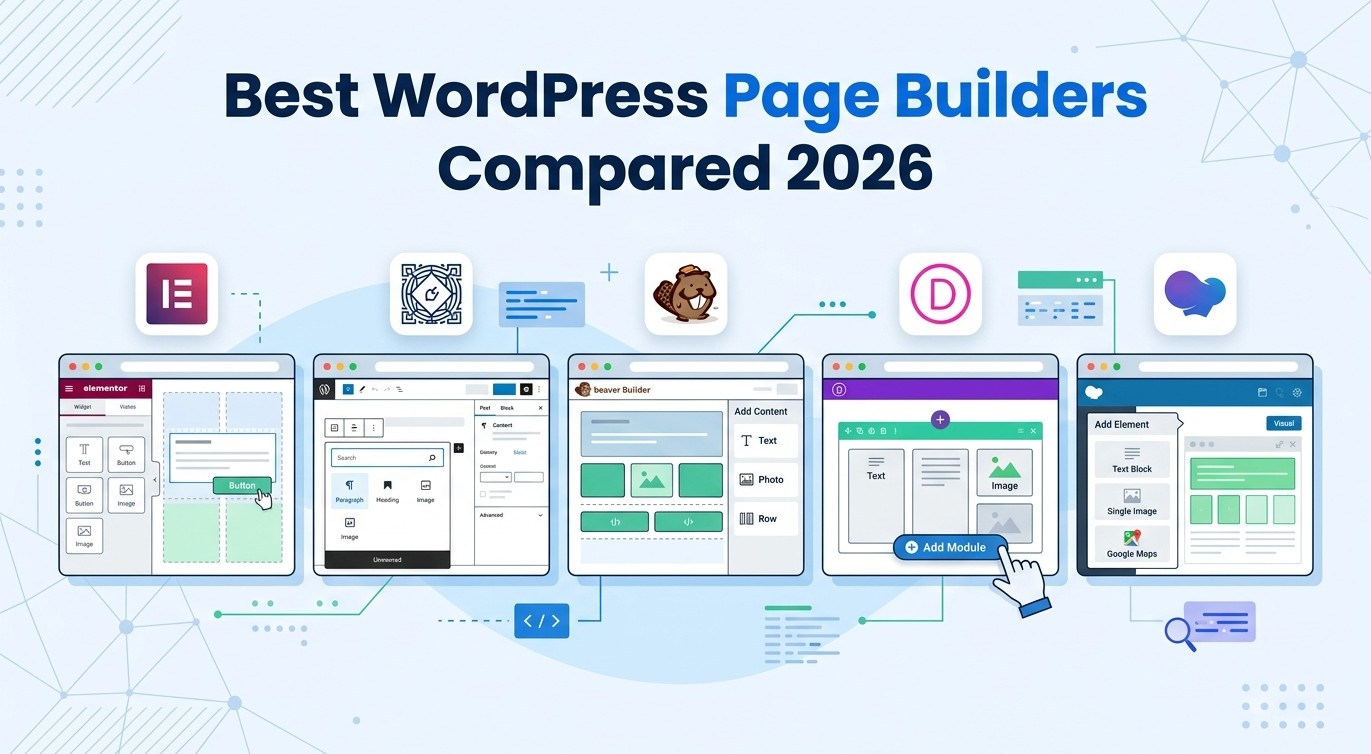
Best WordPress Page Builders Compared: Elementor vs Beaver Builder vs Divi vs WPBakery vs Gutenberg
Picking the wrong page builder can waste hours of your time – and sometimes break your entire website. If you’ve been staring at a list of options wondering which one to actually use, you’re not alone.
This guide covers the best WordPress page builders available right now, compares their real strengths and weaknesses, and helps you decide which one fits your project – whether you’re building your first blog or your tenth client site.
Table of Contents
What Is a WordPress Page Builder?
A page builder is a plugin (or built-in tool) that lets you design pages visually – by dragging and dropping elements – without writing a single line of code.
Instead of editing raw HTML or wrestling with theme settings, you see changes happen live on your screen. You can add columns, buttons, images, forms, and entire sections just by clicking and dragging.
Most beginners choose a page builder as their very first tool after installing WordPress. And the choice matters more than people realize – switching builders later is painful because your content gets locked in.
The 5 Best WordPress Page Builders at a Glance
Before we go deep, here’s a quick comparison table:
| Builder | Free Version | Price (Pro) | Ease of Use | Best For |
|---|---|---|---|---|
| Elementor | Yes | $59/year | Very Easy | Beginners, Freelancers |
| Gutenberg | Yes (built-in) | Free | Moderate | Bloggers, Simple Sites |
| Beaver Builder | Yes (lite) | $99/year | Easy | Agencies, Developers |
| Divi | No | $89/year | Easy | Design-heavy projects |
| WPBakery | No | $64 one-time | Moderate | Legacy/Theme compatibility |
Now let’s look at each one in detail.
1. Elementor – The Most Popular Choice for a Reason
Elementor is the most widely used page builder in the WordPress ecosystem, and for good reason. It’s installed on over 10 million websites and has a free version that’s genuinely useful – not crippled like most.
What Makes Elementor Stand Out
- Live drag-and-drop editing with instant preview
- 80+ free widgets (buttons, images, headings, sliders, etc.)
- A large library of pre-built templates and blocks
- Popup builder, form builder, and WooCommerce support (Pro)
- Theme builder to design headers, footers, and archive pages (Pro)
If you’re just starting out, Elementor’s free plan covers most of what a beginner needs. You can build a full homepage, service page, and about page without spending a cent.
Where Elementor Falls Short
Elementor can slow down your site if you’re not careful. It adds extra CSS and JavaScript to every page, which can hurt load times. This is one reason why pairing it with a good hosting provider matters a lot.
Also, switching away from Elementor later is messy. Your content gets wrapped in Elementor-specific shortcodes and blocks, making migration to another builder time-consuming.
Pro Tip: Always use a lightweight WordPress theme alongside Elementor. Themes like Hello Elementor or Astra keep the extra weight minimal.
2. Gutenberg – WordPress’s Built-In Block Editor
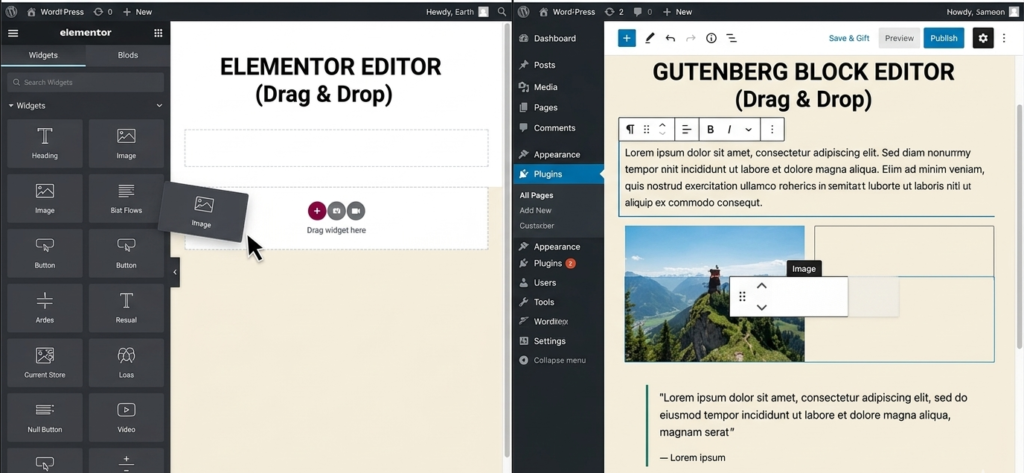
Gutenberg is not a third-party plugin – it’s the default editor that comes with every WordPress installation since version 5.0. It uses a block-based system where each piece of content (heading, paragraph, image, button) is its own “block.”
Why Gutenberg Is Worth Considering
- It’s completely free with zero setup
- No performance hit from extra plugins
- Native to WordPress, so updates are always compatible
- Full Site Editing (FSE) lets you edit headers and footers with blocks
- Works great for content-focused sites like blogs and news sites
For a detailed comparison of these two tools, check out our article on Elementor vs Gutenberg – it goes deep into which editor wins for different use cases.
Where Gutenberg Falls Short
Gutenberg is improving every year but it’s still not as polished as dedicated page builders. Complex layouts – like multi-column designs with custom spacing, hover effects, or animations – are harder to pull off without additional block plugins.
If your site is mostly blog posts and simple pages, Gutenberg is excellent. If you need pixel-perfect design control, it starts to feel limiting.
3. Beaver Builder – The Developer’s Favorite
Beaver Builder has a quieter reputation than Elementor, but among developers and agencies, it’s highly respected. It’s known for clean code output, solid stability, and a smaller performance footprint.
What Makes Beaver Builder Different
- Cleaner HTML output compared to Elementor
- Better for multi-developer teams (easier to manage)
- White-label option available for agencies
- Very stable – rarely breaks after WordPress updates
- Good module library with all the essentials
Beaver Builder vs Elementor – Which One Wins?
This is one of the most common questions for intermediate users. Here’s the honest answer:
- Choose Elementor if you’re a solo user or beginner who wants more templates and a lower learning curve.
- Choose Beaver Builder if you’re building client sites, care about code quality, or work in a team environment.
Beaver Builder’s free version (Beaver Builder Lite) is limited compared to Elementor’s free tier, so you’ll likely need to go Pro if you want the full experience.
Pricing: Starts at $99/year for a single site, which is competitive for the quality you get.
4. Divi – Powerful but Has a Learning Curve
Divi by Elegant Themes is another heavy hitter. It comes with an impressive visual builder, hundreds of pre-made layouts, and a global design system that lets you apply changes site-wide instantly.
Divi’s Strongest Features
- Visual builder with front-end and back-end editing modes
- 800+ pre-made website packs and layouts
- Global colors and fonts for consistent branding
- Built-in A/B testing tool (Divi Leads)
- Lifetime license option at $249 (one-time payment)
Where Divi Can Be Frustrating
Divi stores all your content in shortcodes. If you ever deactivate it, your pages turn into a mess of unreadable code. This is a real risk beginners often don’t think about before committing.
It’s also heavier than Elementor in some cases, and the interface – while powerful – can feel overwhelming at first.
If you’re running an online store and weighing your options, also take a look at our WooCommerce vs Shopify comparison to figure out your full website stack before choosing a builder.
5. WPBakery – The Legacy Builder Still Used Everywhere
WPBakery (formerly Visual Composer) was one of the first popular page builders for WordPress. It’s still sold on ThemeForest and bundled with thousands of premium themes, which is why so many WordPress users end up using it – often without choosing it intentionally.
WPBakery vs Gutenberg – Is It Still Worth It?
Honestly, for new projects in 2026, WPBakery is not a builder we’d recommend starting with. Here’s why:
- The interface feels dated compared to modern builders
- It relies heavily on shortcodes, making theme-switching painful
- Performance is not great out of the box
- Gutenberg has surpassed it for content editing
- Limited free version – you almost always need the paid license
Where WPBakery still makes sense: If you purchased a ThemeForest theme that includes WPBakery, it’s fine to use for that project. Just don’t start a fresh site with it by choice.
If you inherited a site with WPBakery and it’s running slowly, check out our guide on how to speed up your WordPress website – a lot of the tips apply directly to bloated page builder sites.
How to Choose the Right Page Builder for Your Site
There’s no single “best” option – the right builder depends on what you’re building and who’s building it.
Choose Elementor if:
- You’re a beginner building your first website
- You want the largest community and the most tutorials
- You need a free version with real functionality
Choose Gutenberg if:
- You’re running a blog or content-heavy site
- You want zero extra plugins and maximum speed
- You’re comfortable with a slightly steeper design learning curve
Choose Beaver Builder if:
- You’re building client sites or working in a team
- Clean code and stability matter to you
- You’re okay spending a bit more for pro features
Choose Divi if:
- You need a large library of pre-made designs
- You like the idea of a lifetime license
- You’re building multiple sites per year
Avoid WPBakery if:
- You’re starting a new project in 2026
- You care about long-term maintainability
Common Mistakes to Avoid When Using Page Builders
Even experienced users make these errors. Here’s what to watch out for:
- Installing multiple page builders at once. Each builder adds its own CSS and JavaScript. Running two at the same time is a performance disaster.
- Choosing a builder before choosing your hosting. Cheap, slow hosting will make any page builder feel sluggish. Start with a reliable host – Hostinger offers solid speed at a beginner-friendly price point.
- Not testing on mobile. Just because it looks great on desktop doesn’t mean it works on mobile. Always check the responsive preview before publishing.
- Skipping backups before switching builders. If you ever switch from Elementor to Gutenberg (or vice versa), your existing pages will break. Always back up your site before making major changes.
- Ignoring page speed. Page builders can be slow. Use a caching plugin – check out our guide to the best caching plugins for WordPress to offset the performance hit.
Page Builder Performance: Does It Actually Matter?
Yes, and more than people think.
Google uses page speed as a ranking factor. A bloated page builder that loads 500kb of CSS on every page can push your Core Web Vitals score into the red – and that hurts your SEO.
Here’s what helps:
- Use a lightweight theme (Astra, Hello, GeneratePress)
- Enable lazy loading for images – see our guide on optimizing images in WordPress
- Use a caching plugin
- Host on a server with good performance
Elementor and Divi tend to load the most assets. Gutenberg and Beaver Builder are generally leaner. But with good hosting and caching, any of them can perform well.
Frequently Ask Questions (FAQ)
Which WordPress page builder is best for beginners?
Elementor is the most beginner-friendly option thanks to its drag-and-drop interface, large template library, and a free version that covers most basic needs. Gutenberg is also a solid choice if you’re mainly blogging.
Can I use Elementor for free?
Yes. Elementor has a free version available from the WordPress plugin repository. It includes over 80 widgets and basic templates. The Pro version (starting at $59/year) unlocks theme builder, popup builder, and WooCommerce tools.
Is Gutenberg good enough to replace Elementor?
For blogs and simple websites – yes, Gutenberg works well and it’s faster. For complex landing pages, portfolio sites, or business pages with custom layouts, Elementor still gives you more visual control. Read our full Elementor vs Gutenberg comparison for a detailed breakdown.
Do page builders slow down WordPress?
They can. Page builders add extra CSS and JavaScript to your pages. However, good hosting, a lightweight theme, and a caching plugin can offset most of the performance loss. Always run a speed test after building with any page builder.
Is WPBakery still worth using in 2026?
Not for new projects. WPBakery is a legacy tool that made sense years ago, but modern builders have surpassed it in usability, performance, and output quality. It’s still fine if your theme bundles it and your site is already built on it.
What is the difference between Beaver Builder and Elementor?
Elementor is more beginner-friendly and has a larger template library. Beaver Builder produces cleaner code, is more stable, and is preferred by developers and agencies. Elementor has a better free tier; Beaver Builder Pro is more suited to professional use.
Conclusion
Choosing between the best WordPress page builders really comes down to three things: who’s building the site, what kind of site it is, and how much you care about performance and code quality.
- Elementor is the safest choice for most beginners and freelancers.
- Gutenberg is ideal if you want speed and simplicity without extra plugins.
- Beaver Builder wins for agencies and developers who value clean, stable output.
- Divi is great if you want a design-heavy tool with a lifetime license.
- WPBakery is fine for existing sites but not recommended for new builds.
Before you install any builder, make sure your hosting can handle it. Slow hosting makes every builder look bad. If you’re starting fresh or migrating your site, Hostinger is a great option that handles page builder sites well at an affordable price.
Also, don’t overlook the basics – install a good security plugin, set up Google Analytics, and check out the essential plugins every new WordPress site needs to round out your setup.
Have questions about which builder to pick? Drop a comment below – happy to help you choose based on your specific project.